
Push a User Attribute via the webchat SDK.
In order to push an attribute, its name must have been declared in the whitelist configured in the API settings of your bot.
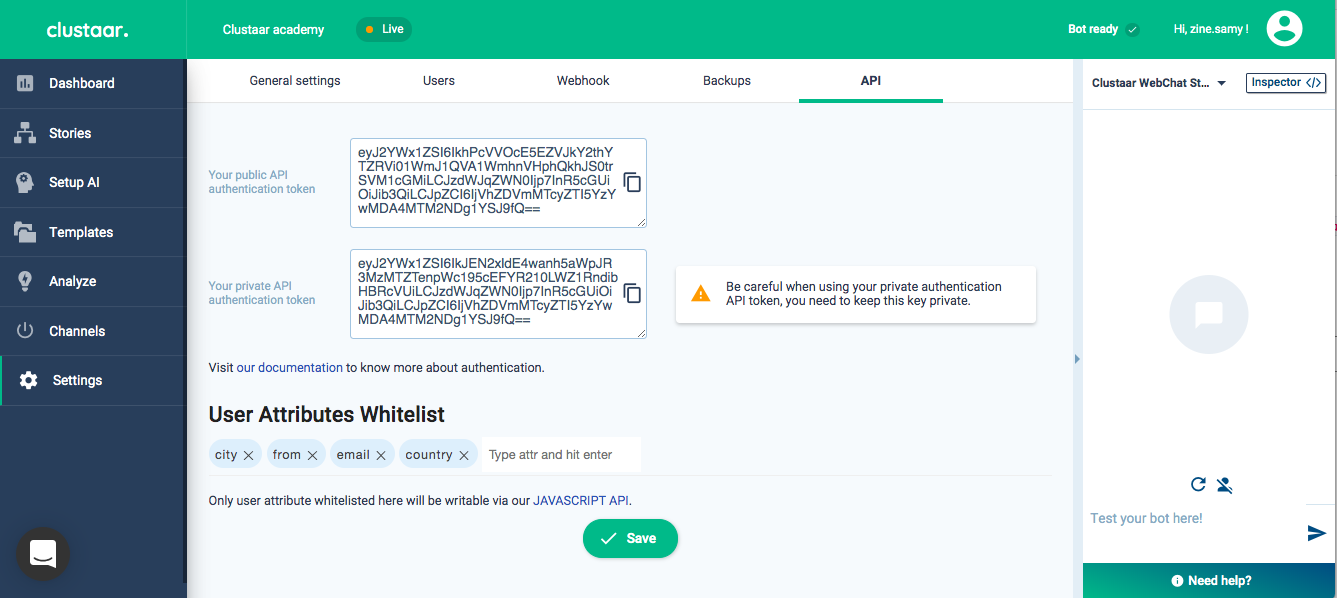
You can push an attribute and ignore the request result:
// Simple use
window.ClustaarWebchat.pushAttribute('city', 'Paris');
Or you can push an attribute with a promise to know if the call was successful.
The returned value is a boolean.
// Use with Promise
window.ClustaarWebchat.pushAttribute('city', 'Paris').then(function(ok) {
  // "ok" is a boolean: true if the attribute is whitelisted and has been set successfully
  console.log(ok);
});
Important
If you want this piece of code to run in IE11 (which does not support much of ES6 at all), then you need to include a 3rd party promise library:<script src="https://cdn.polyfill.io/v2/polyfill.min.js?features=es6"></script>