
This event is triggered when you switch on the use webhook button.
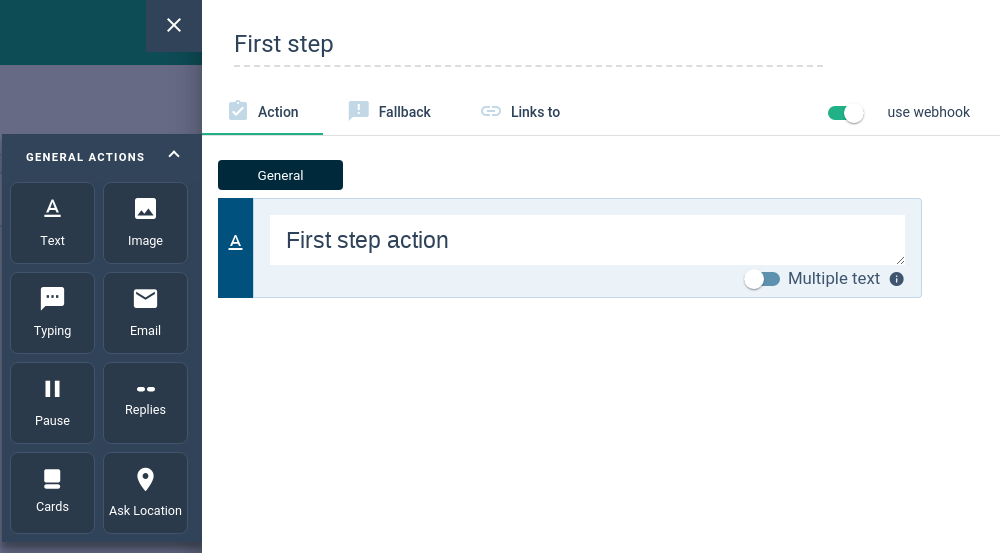
When an interlocutor reaches this step while talking to your bot, a POST request will be sent to your webhook to let you decide what to do.
The bot will wait for your webhook's response in order to continue the conversation.
It allows you to override the default behavior of the step by overriding the actions that must be executed by the bot.
You can also update the session's values.
Request Format
{
    "topic": "conversation.step_reached",
    "botID": "507f1f77bcf86cd799439011",
    "timestamp": 1514998709,
    "type": "event",
    "data": {
        "channel": "facebook",
        "input": {
            "type": "message",
            "text": "hello",
            "attachments": []
        },
        "interlocutor": {
            "id": "507f1f77bcf86cd799439011",
            "userID": "xxyyzz",
            "location": {
                "lat": 77.415040,
                "long": -44.052074
            },
            "firstName": "John",
            "lastName": "Doe",
            "email": "[email protected]",
            "customAttributes": {
                "age": "25"
            },
            "phoneNumber": null
        },
        "session": {
            "values": {
                "name": "John"
            }
        },
        "step": {
            "id": "5a8c317624acbe05b1a36feb",
            "name": "A step",
            "userData": null,
            "actions": [
                {
                    "type": "pause_bot_action"
                }
            ]
        }
    }
}
Request Parameters
| Attribute | Type | Description |
|---|---|---|
data.channel | string | Channel used by interlocutor (facebook, intercom, etc.). |
data.interlocutor.id | string | Interlocutor's ID. |
data.session.values | object | Interlocutor's session values. |
data.interlocutor.location.lat | float | Interlocutor's latitude. |
data.interlocutor.location.long | float | Interlocutor's longitude. |
data.interlocutor.firstName | string | Interlocutor's first name. |
data.interlocutor.lastName | string | Interlocutor's last name. |
data.interlocutor.email | string | Interlocutor's email. |
data.interlocutor.customAttributes | object | Interlocutor's other attributes. |
data.interlocutor.phoneNumber | string | Interlocutor's phone number. |
data.step.id | string | ID of the step being executed. |
data.step.name | string | Name of the step being executed. |
data.step.userData | string | Custom data set on the step with the [+] next to the "use webhook" toggle on the step form. |
data.step.actions | array | List of [action objects](ref:actions). |
data.input | object | [Input](ref:bot-inputs) that triggered the execution. |
Response Format
{
    "actions": [
        {
            "type": "pause_bot_action"
        }
    ],
    "session": {
        "values": {
            "name": "John Doe"
        }
    },
    "interlocutor": {
        "id": "507f1f77bcf86cd799439011",
        "location": {
            "lat": 77.415040,
            "long": -44.052074
        },
        "firstName": "John",
        "lastName": "Doe",
        "email": "[email protected]",
        "customAttributes": {
            "age": "25"
        },
        "phoneNumber": null
    }
}
The response must include the list of actions to be executed by the bot.
Optionally, you can update the session's values by modifying them in the response.
If you omit the session object, it will keep the session as it is. If you set it to an empty object, it will delete all the values.
You can also update the interlocutor by providing new values for the fields you want to update. If interlocutor is omitted in the response, it won't be updated.
Response Parameters
| Attribute | Type | Required | Description |
|---|---|---|---|
actions | array<[action](ref:actions)> | ✓ | List of [action](ref:actions) objects. |
session.values | object | Interlocutor's session values. | |
interlocutor | object | ✓ | Interlocutor object. |
interlocutor.id | string | ✓ | Interlocutor's ID. |
interlocutor.location | object | ✓ | Interlocutor's location (can be null). |
interlocutor.firstName | string | ✓ | Interlocutor's first name (can be null). |
interlocutor.lastName | string | ✓ | Interlocutor's last name (can be null). |
interlocutor.email | string | ✓ | Interlocutor's email (can be null). |
interlocutor.customAttributes | object | ✓ | Interlocutor's other attributes. |
interlocutor.phoneNumber | string | ✓ | Interlocutor's phone number. |